



Volledig zicht
Gelijkwaardige producten
Magcubic 8K HY300 Pro + ingebouwde 5W-luidspreker 1280*720P Android 14 8000 lumen Wifi6 BT5.4 draagbare buitenprojector
€176,99€237,82
Kleur : HY300 Pro Nieuw-Wit


Stekkertype : Amerikaanse stekker
EU-stekker
Amerikaanse stekker
AU-stekker
Britse stekker
Hoeveelheid :
 Customer Service
Rapport
Inclusief inbreuk op het auteursrechtGratis standaard verzending. Zie de details
Geschat tussen Sun, Dec 14 en Wed, Dec 17
U kunt het product binnen 30 dagen na ontvangst retourneren. Zie de details
Winkel met vertrouwen

Geld-terug-garantie
Ontvang het bestelde artikel of krijg uw geld terug. Meer informatie
Over dit item
Afkomstig van CoreBox
De verkoper aanvaardt alle verantwoordelijkheid voor deze aanbieding.Item nummer: 33298388
Artikelspecificaties
Helderheid
2000 lumen, 1400 lumen, 1800 lumen
Draagbaar
Ja
Gebruik
Bioscoopprojector
contrast ratio
400:1.350:1.600:1
hardware-interface
HDMI, 3, 5 mm audio, USB
Schermresolutie
1280x720dpi
Native resolutie
1280x720dpi
beeldcontrastverhouding
3001 1 4000 1
Montage type
Achterprojectie, Short-Throw & Ultra Short-Throw (UST)-montage, plafondmontage
Itembeschrijving van de verkoper
Please note: A small number of Allwinner 713 chip projectors may be sent out
Smart Your Projection, Match Your Scene
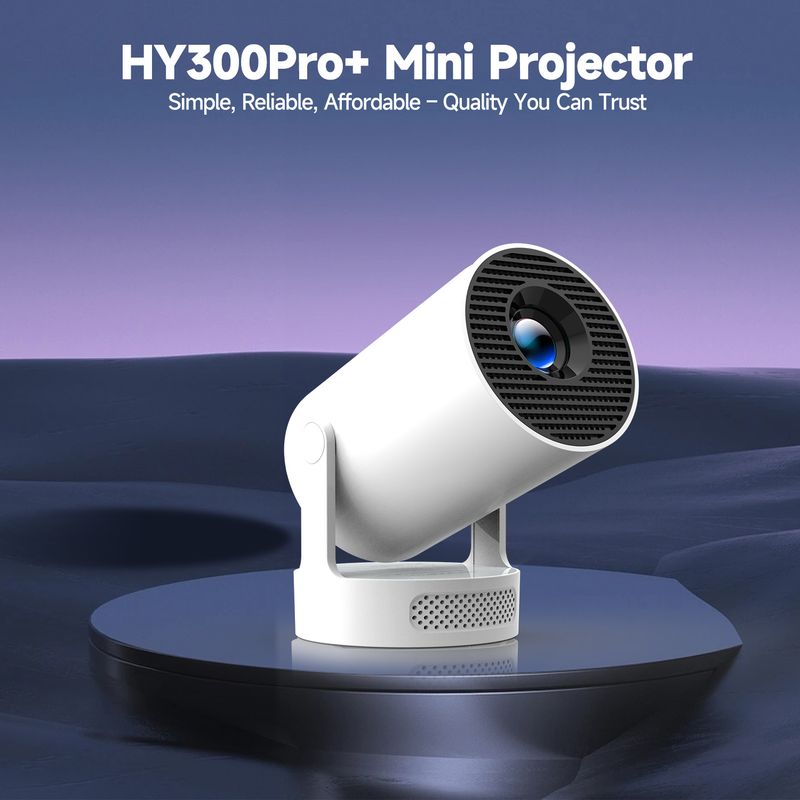
HY300Pro+ Mini Projector
Simple, Reliable, Affordable – Quality You Can Trust
Sharp Image, Vibrant Colors
8K Support 8000 Lumens
Unrivaled Clarity in Every Frame
Precision-Crafted bicoated optics Illuminate your vision with 40% elevated luminescent clarity
Easy Tuning, Perfect Alignment
Auto Vertical Keystone Manual 4-Point Manual Focus 80%-100% Zoom
Crisp, Clear, Powerful
Ideal for casual viewing and personal entertainment
Excellent Stereo Sound
Supports HiFi Audio and is equipped with high-fidelity speakers to provide immersive sound effects
External Power Cooler Operation
Mini Body, Max Impact
A True MINI Marvel – Light as Air, Big as Life
Project a Big Screen with Any Setup
0.9:1 Projection Throw Ratio, The recommended distance is 1.6 meters for 80 inches
ired or Wireless, Connect Your Way
Buffer-Free Streaming with Wi-Fi BT5.4
Built-in Android 14 System
Plug And Play, N
o Need to Connect Other Devices
180° Rotation for Ultimate Flexibility
Project on Walls, Ceilings, or Any Surface You Desire
Quad-core AEM Cortex-A53
Mali-G31 supports OpenGL ES3.2, Vulkan 1.1, and OpenCL 2.0
Versatile Compatibility, Easy Connection
yoga time
Large Screen Guidance, More Precise Movements
Home Theater
Compact Size, Big Entertainment – Transform Your Room into a Cinema
Outdoor Night
A Party Artifact that Creates a Great Atmosphere
Question Answer
Q1: Why OTA Update Before Use?
A: To ensure optimal performance and take advantage of our latest features and updates, please upgrade to the most recent software version before first useYou can do this by navigating to Settings About device Online upgrade
Q2: Is it suitable for daytime use?
A: Due to its brightness limitations, the projector is ideal for dark environments, such as a backyard at night, a campsite after sunset, a living room with closed curtains, or a bedroom with the lights turned off
3: Activate Manual Focus?
A
To help you fine-tune the sharpness of your projection, the HY300Pro+ projector features an internal gear mechanismSimply rotate the gear to adjust the focus and achieve your desired level of clarity
Q4: How to Get a Square Image?
A: Automatic vertical keystone correction works best when the projector lens is directly facing the wallIf the results are unsatisfactory, follow these steps:
1.Place the projector on a flat surface and ensure the lens is perpendicular to the wall
2.Navigate to Settings Projection Settings Keystone Correction Initial Angle Correction
3.If needed, disable the automatic keystone correction and make manual adjustments for optimal alignment
5: Adjust Picture Settings?
A: If the initial image quality is not to your liking, you can fine-tune the display parameters in user modeSimply navigate to Settings, Projection Settings, and Display Settings to customize and optimize your picture settings
Q6: Can't Connect to Wi-Fi?
A: 1Ensure the projector is working properly
d iur router are within 16 feet (5 meters) of each otherCheck if other devices connect to Wi-Fi
2.Please check the time zone settings by navigating to Settings, Time and Date, Time Zone, and ensure it is accurate
3.Attempt to connect to a different Wi-Fi network or use your phone's hotspot as an alternative
4.Test both the 2.4GHz and 5GHz frequency bands on your router
5.Reset the projector by going to Settings Other Settings Restore Factory Settings
Q7: Screen-Mirror iOS?
A: 1. Ensure your device is updated to the latest versionYou can do this by navigating to Settings About device Online upgrade
2. Open the ScreenCast app
3. Use AirPlay on your iOS device, making sure both devices are connected to the same Wi-Fi network




 4.4 uit 5 gebaseerd op 7,646 reviews